
Can I Delete Windows Software Development Kit-
The Windows Software Development Kit (SDK) is a collection of tools, libraries, and development files used for creating Windows applications. Many users notice it installed on their computer and wonder if it is safe to remove. In most situations, the Windows SDK is mainly useful for developers, programmers, and advanced users. If you do not create software or use development tools, you can usually uninstall it safely and free up storage space without affecting normal computer usage.
- What Is a Windows Software Development Kit?
- Why Is Windows SDK Installed on Your Computer?
- Can I Delete Windows Software Development Kit?
- When You Should Keep Windows SDK
- When You Can Remove Windows SDK
- Features of Windows Software Development Kit
- Benefits of Windows Software Development Kit
- Risks of Deleting Windows SDK
- Development Software May Stop Working
- How to Uninstall Windows Software Development Kit
- Alternative Options Instead of Deleting SDK
- Common Problems After Removing Windows SDK
- Tips Before Removing Windows SDK
- Future of Windows Software Development Kit
- FAQs
- Conclusion
- Related Post
Yes, you can delete Windows SDK if you are not a developer. It is safe for normal users but may affect programming tools and development software.
What Is a Windows Software Development Kit?
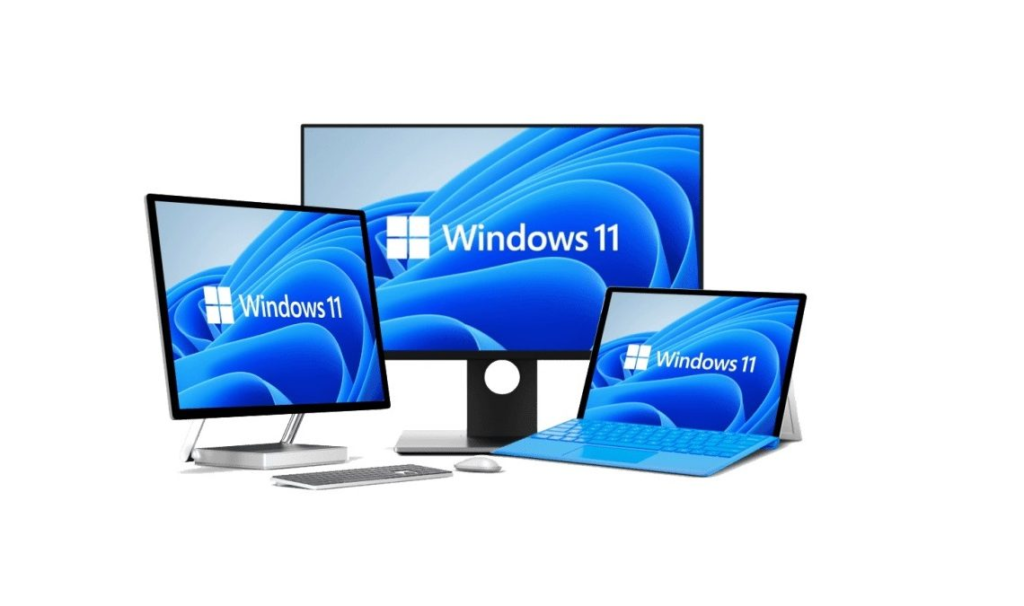
The Windows Software Development Kit is a development package provided by Microsoft for building Windows applications. It includes APIs, debugging tools, compilers, libraries, and utilities that help developers create, test, and manage software programs for the Windows operating system.The SDK is commonly installed together with development platforms like Visual Studio or other coding software.
Why Is Windows SDK Installed on Your Computer?
There are several reasons why the Windows Software Development Kit may already be installed on your computer. In many cases, it is added automatically by development tools, Windows features, or software applications.

Installed with Development Software
Programming tools like Visual Studio automatically install SDK components during the setup process to support application development and debugging.
Added Through Windows Updates
Some Windows updates and optional developer features may include SDK files as part of system improvements or software compatibility support.
Required by Certain Applications
Advanced applications, game engines, and developer tools may depend on SDK components to function correctly on Windows systems.
Used for Programming and Testing
Developers use SDK tools for building, compiling, testing, and debugging Windows applications during the software development process.
Can I Delete Windows Software Development Kit?

Yes, you can usually delete the Windows Software Development Kit if you do not use programming or software development tools. The SDK is mainly designed for developers who create, test, and debug Windows applications. Removing it can help free storage space and reduce unnecessary system files. However, if you use development software like Visual Studio, uninstalling the SDK may cause certain applications or development features to stop working properly.
When You Should Keep Windows SDK
You should keep the Windows Software Development Kit installed if you:
- Develop Windows applications
- Use programming or coding tools regularly
- Work with Visual Studio
- Create games or software projects
- Use debugging or testing tools
- Build applications using Microsoft development APIs
When You Can Remove Windows SDK
You can consider removing the Windows Software Development Kit if you:
- Do not use programming or coding software
- Never develop Windows applications
- Need additional storage space on your computer
- No longer use development tools or SDK features
- Want to remove unnecessary system components
- Do not use Visual Studio or similar development platforms
Features of Windows Software Development Kit
Application Programming Interfaces
The SDK provides APIs that help developers create Windows applications with proper system compatibility.
Debugging Tools
Developers can test, troubleshoot, and fix software issues using built-in debugging utilities.
Software Libraries
The SDK includes libraries and frameworks required for advanced software development.
Build and Compilation Tools
It helps developers compile source code into working Windows applications.
Windows Compatibility Support
Applications built with the SDK are optimized for different Windows versions and hardware systems.
Benefits of Windows Software Development Kit

Application Programming Interfaces
The Windows SDK provides APIs that allow developers to build applications that interact properly with the Windows operating system.
Debugging Tools
It includes debugging utilities that help developers test, identify, and fix errors in their software.
Software Libraries
The SDK contains essential libraries and frameworks required for building advanced Windows applications.
Build and Compilation Tools
It provides tools to compile source code into executable Windows programs efficiently.
Windows Compatibility Support
Applications built using the SDK are optimized to work across different Windows versions and system environments.
Risks of Deleting Windows SDK
Although many users can uninstall it safely, removing the SDK may create problems in some situations.
Development Software May Stop Working
Some development tools like Visual Studio may stop working properly if Windows SDK components are removed.

Build Errors May Occur
Developers may face errors while compiling or building applications due to missing SDK files and libraries.
Missing Dependencies
Certain applications depend on SDK components, and deleting it can break required system dependencies.
Reinstallation May Be Needed
Users may need to reinstall the SDK again if they want to continue software development or fix compatibility issues.
How to Uninstall Windows Software Development Kit
- Open Windows Settings
- Go to Apps / Installed Apps section
- Search for Windows Software Development Kit
- Select it and click Uninstall
- Follow the on-screen instructions to complete removal
- Restart your computer to apply changes
Alternative Options Instead of Deleting SDK
- Remove only older SDK versions instead of full uninstall
- Keep latest SDK version for compatibility
- Disable unused developer features instead of deleting
- Move SDK-related files to external storage
- Repair or modify installation instead of removing it completely
Common Problems After Removing Windows SDK
- Some development software may stop working properly
- Applications may show build or compilation errors
- Missing SDK files can break dependencies
- Certain tools like Visual Studio may fail to run correctly
- Reinstallation of SDK may be required for development tasks
Tips Before Removing Windows SDK
- Create a system restore point before uninstalling
- Check installed programs for SDK dependency
- Backup important files and development projects
- Make sure no active software is using SDK
- Consider keeping the latest version instead of full removal
Future of Windows Software Development Kit

The Windows SDK will continue evolving as Microsoft introduces new Windows technologies and AI-powered development tools. Future SDK versions may include improved cloud integration, automation, and advanced debugging features. As software development becomes more modern, SDK tools will remain essential for developers building Windows applications, games, and enterprise software solutions.
FAQs
1- Can I safely delete Windows Software Development Kit?
Yes, most normal users can safely uninstall the SDK if they do not use programming or software development applications regularly.
2- Will uninstalling SDK affect Windows performance?
Removing the SDK usually does not affect normal Windows performance or everyday computer usage for non-developer users.
3- Why is Windows SDK installed automatically?
Development software, programming tools, or Windows updates may automatically install SDK components during setup or feature updates.
4- Can I reinstall Windows SDK later?
Yes, users can easily download and reinstall the Windows Software Development Kit anytime from the official Microsoft website whenever needed.
5- Does Windows SDK use large storage space?
Yes, depending on installed versions and components, the SDK may use several gigabytes of system storage space.
Conclusion
The Windows Software Development Kit is mainly designed for developers who build and manage Windows applications. While it provides powerful tools for coding, testing, and debugging, most normal users do not need it for everyday computer tasks. If you are not using programming software, uninstalling the SDK can help free storage space and reduce unnecessary system files. However, developers should keep the SDK installed because many development tools and applications rely on its components for proper functionality.