WhatsApp Plus Review 2026- Truth, Features, Privacy & Risks Explained
Complete Guide to Features, Advanced Privacy Options, Customization Tools, Media Sharing Limits, Installation Process, Safety Concerns, Account Ban Risks, Malware Warnings, Latest Updates, Alternatives Comparison, and Full User Experience Analysis for Android Users Looking for a Better WhatsApp MOD
WhatsApp Plus Honest Review 2026 covers features, privacy tools, risks, and safety concerns of this popular WhatsApp MOD in simple detail.
- What is WhatsApp Plus?
- Why WhatsApp Plus Became So Popular
- Advanced Privacy Features
- Customization Features
- Messaging & Productivity Features
- Media Sharing Features
- Advantages of WhatsApp Plus
- Disadvantages & Risks
- Ban Risk
- Malware & Fake APK Risks
- Is WhatsApp Plus Safe?
- How to Install WhatsApp Plus
- Best Alternatives to WhatsApp Plus
- FAQs
- Conclusion
- Related Post
What is WhatsApp Plus?

WhatsApp Plus is an unofficial modified version of WhatsApp Messenger that offers extra features like advanced privacy controls, customization options, and larger file sharing beyond the official app. It is not developed or approved by Meta and is installed via APK, which makes it more flexible but also less secure than the original version.
Why WhatsApp Plus Became So Popular
- Offers advanced privacy features like hiding online status, blue ticks, and last seen
- Provides full customization of themes, fonts, colors, and chat interface
- Allows sending large media files without heavy compression
- Supports multiple accounts on a single device
- Includes useful tools like auto-reply and message scheduling
- Lets users view and recover deleted messages
- Gives more control over chats compared to WhatsApp Messenger
- Appeals to users who want extra features beyond official app limits
Advanced Privacy Features
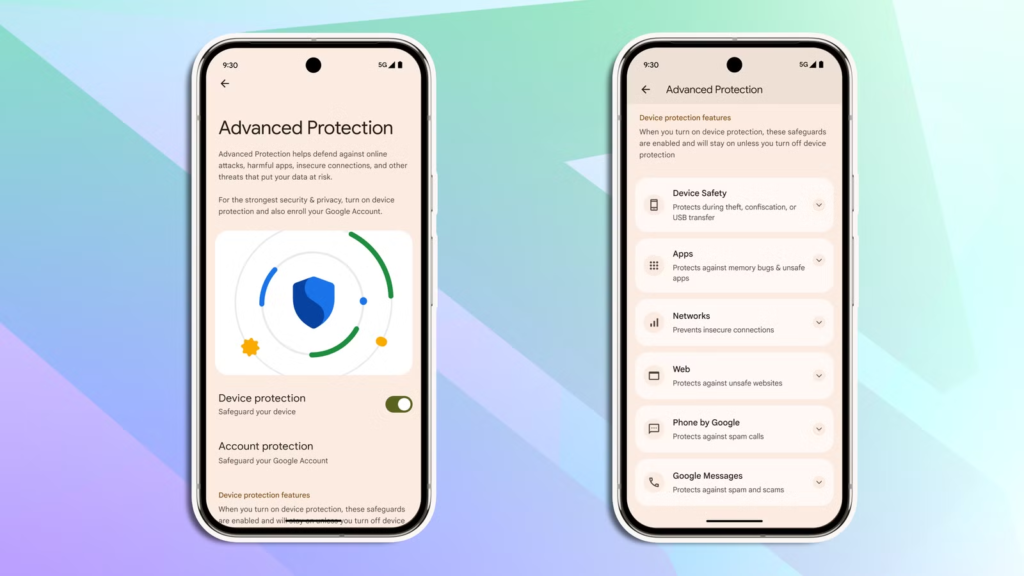
Privacy is one of the strongest reasons users prefer WhatsApp Plus over the official app because it gives full control over online visibility and chat activity.
Hide Online Status
This feature allows users to stay invisible while using the app, so others cannot see when they are online, but they can still view others’ activity.
Freeze Last Seen
It locks your last seen timestamp, so your real online activity time is not updated, giving more privacy and control over presence.
Hide Blue Ticks
You can read messages without sending read receipts, meaning the sender will not know whether you have seen their message or not.
Hide Typing & Recording Status
This option hides typing and voice recording indicators, so others cannot see when you are replying or sending audio messages.
Ghost Mode
Ghost Mode makes your entire activity invisible, allowing you to use WhatsApp Plus without showing online status, read receipts, or activity signals.
Anti-Delete Messages
Even if someone deletes a message for everyone, WhatsApp Plus can still show it, so you never miss any important information.
Anonymous Status Viewing
This feature lets you view other users’ statuses secretly without appearing in their viewer list, keeping your identity hidden.
Customization Features
Theme Customization
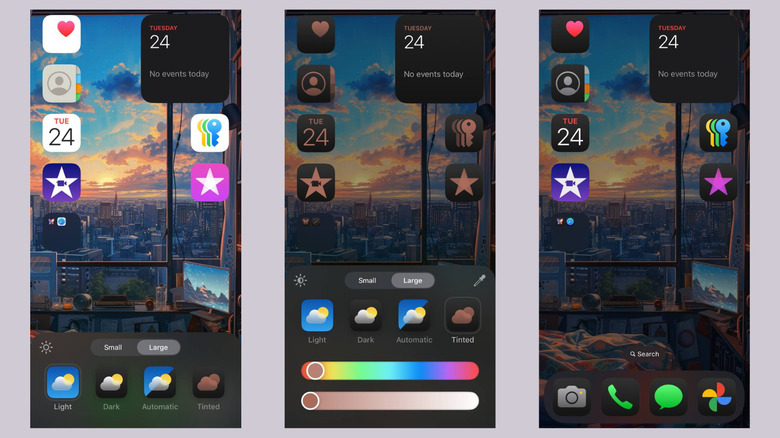
Users can choose from hundreds of themes to completely change the look and feel of the app interface.
Font Styles
WhatsApp Plus allows changing fonts to different styles, making chats more creative and personalized.
Chat Bubble Customization
You can modify chat bubble colors, shapes, and styles for both sent and received messages.
Wallpaper Per Chat
Each conversation can have a different background wallpaper instead of a single global theme.
App Icon Change
Users can replace the default app icon with custom icons to match their phone style or hide the app.
Tick Style Customization
You can change the design of single, double, and blue ticks for a unique chat appearance.
Interface Color Control
Full control over header, status bar, and chat screen colors for a fully personalized UI.
Messaging & Productivity Features

Auto Reply
Automatically reply to messages when you are busy, driving, or unavailable, so no important message is missed.
Message Scheduler
Schedule messages in advance and send them automatically at a specific date and time.
Multiple Accounts Support
Use more than one WhatsApp account on the same device without logging out repeatedly.
Direct Messaging Without Saving Number
Send messages to any number without saving it in your contacts list.
DND Mode (Do Not Disturb)
Temporarily stop WhatsApp Plus notifications while keeping other apps working normally.
Media Sharing Features
Larger File Sharing
WhatsApp Plus allows users to send very large files such as videos, documents, and audio without strict compression limits. This makes it easier to share high-size media like movies, project files, or presentations in one go.
High Quality Image Sharing
Unlike the official app, WhatsApp Plus sends images in original resolution without reducing quality. This ensures that photos remain clear, sharp, and suitable for professional or personal use.
Status Downloader
This feature lets users download any contact’s status directly to their phone with a single tap. Photos and videos can be saved instantly without needing any third-party app or screen recording tools.
Advantages of WhatsApp Plus
- Advanced privacy control over chats and online status
- Highly customizable interface with themes and fonts
- Larger file sharing without compression limits
- Ability to read deleted messages
- Support for multiple accounts on one device
- Built-in tools like auto-reply and message scheduling
- Better media sharing quality compared to official app
Disadvantages & Risks
- Security risks due to unofficial and modified nature of the app
- Possible account ban or temporary suspension by WhatsApp/Meta
- No official support or customer service available
- Manual updates required instead of automatic updates
- Risk of malware if downloaded from untrusted sources
- Privacy concerns due to unknown data handling practices
Ban Risk
Using WhatsApp Plus can put your account at risk because it is an unofficial modified version of WhatsApp. The platform may detect unauthorized usage and apply temporary or permanent bans on your number. This means you could lose access to your chats, groups, and contacts without warning. Even though some versions claim to include anti-ban protection, there is still no guaranteed safety against detection by WhatsApp or Meta systems.
Malware & Fake APK Risks
Fake APK Files
Many websites offer fake WhatsApp Plus APK files that may contain harmful malware or modified code designed to steal user data.
Spyware & Data Theft
Some unofficial versions may include spyware that can access personal chats, contacts, and sensitive information without permission.
Adware & Pop-ups
Certain APKs are filled with unwanted ads and pop-ups that reduce performance and disturb user experience.
Device Security Risk
Installing unsafe APKs can damage your phone system, slow down performance, or even compromise overall device security.
Is WhatsApp Plus Safe?
WhatsApp Plus is not an officially verified application, so it cannot be considered fully safe compared to the original WhatsApp. While it offers advanced features and customization options, it lacks official security guarantees and end-to-end verification from Meta. This means there is always a risk of data privacy issues, account bans, and malware if the APK is downloaded from untrusted sources. However, some users still use it with caution by downloading from reliable websites and avoiding sharing sensitive information.
How to Install WhatsApp Plus
- Enable “Unknown Sources” in your Android settings
- Download WhatsApp Plus APK from a trusted website
- Locate the downloaded file in your file manager
- Tap on the APK file and select Install
- Wait for installation to complete
- Open the app and verify your phone number
- Restore your chat backup if available
Best Alternatives to WhatsApp Plus

Telegram
A popular messaging app known for fast performance, large file sharing, channels, and strong customization options.
Signal
A highly secure messaging app focused on privacy and end-to-end encryption, making it one of the safest WhatsApp alternatives.
WhatsApp Business
An official Meta app designed for business communication, offering automation tools and professional chat management.
FAQs
1.Is WhatsApp Plus safe to use on Android devices in 2026?
WhatsApp Plus is relatively safe only if downloaded from a trusted source, but it still carries security and privacy risks because it is an unofficial modified app.
2.Can I use WhatsApp Plus and official WhatsApp together?
Normally both apps cannot run together because they use the same package name, although some modified versions support dual accounts on Android.
3.Does WhatsApp Plus support hiding blue ticks and online status?
Yes, WhatsApp Plus provides advanced privacy settings including hiding blue ticks, online status, typing indicators, and freezing last seen activity.
4.Will my WhatsApp account get banned for using WhatsApp Plus?
There is always a risk of temporary or permanent bans because using unofficial WhatsApp MODs violates Meta’s official terms and policies.
5.How can I update WhatsApp Plus without losing chats and media?
Create a full backup before updating, then install the latest APK over the current version without uninstalling the existing application first.
Conclusion
WhatsApp Plus offers powerful customization, privacy tools, and advanced messaging features beyond the official WhatsApp experience. However, users must also understand the security risks, manual updates, and possible account bans associated with unofficial MOD applications before deciding to install and use WhatsApp Plus on their Android devices.