How to Classify Software Application Components- Complete Guide
Understanding how to classify software application components is an important skill in modern software engineering. Today’s applications are complex systems made of multiple interconnected modules that work together to deliver functionality. Proper classification helps developers organize code, improve scalability, and reduce system complexity. It also enhances performance, simplifies maintenance, and reduces bugs. Whether building mobile, web, or enterprise applications, component classification ensures efficient development and long-term software stability and growth.
Learn how to classify software applications components to improve system design, scalability, performance, and maintainability in modern software engineering.
- What Are Software Application Components?
- Why Classification of Software Components Is Important
- How to Classify Software Applications Components
- 1. Functional Classification of Components
- 2. Architectural Classification of Components
- 3. Deployment-Based Classification
- 4. Reusability-Based Classification
- 5. Technology-Based Classification
- 6. Security-Based Classification
- Common Software Components in Real Applications
- Challenges in Classifying Software Components
- Best Practices for Component Classification
- Benefits of Proper Software Component Classification
- Future of Software Component Design
- FAQ’s
- Conclusion
- Related post
What Are Software Application Components?
Software application components are individual building blocks of a software system that perform specific tasks and collectively form a complete application. Each component has a defined responsibility and interacts with other components to ensure smooth system operation.
These components may include:
- User Interface (UI) components
- Business logic components
- Database components
- API and service components
- Security components
- Integration modules
Each of these plays a unique role in ensuring that the application functions correctly and efficiently.
Why Classification of Software Components Is Important
Proper classification is critical in software development because it brings structure, clarity, and maintainability to complex systems.
Key Reasons Include:
- Better organization of codebase
- Improved system scalability
- Easier debugging and testing
- Faster development process
- Reduced system complexity
- Enhanced collaboration between teams
- Improved software performance
Without classification, developers often face confusion, duplicated logic, and maintenance issues.
How to Classify Software Applications Components
Software components can be classified using multiple approaches depending on system design, architecture, and functionality.

1. Functional Classification of Components
This is the most widely used method, where components are grouped based on their function within the system.
Presentation Layer Components
These components are responsible for user interaction and interface design.
Examples include:
- Web pages
- Mobile screens
- Dashboards
- Forms and input fields
- UI elements like buttons and menus
Their main purpose is to display data and collect user input.
Business Logic Components
These components handle the core functionality and rules of the application.
Examples include:
- Payment processing systems
- Authentication systems
- Data validation modules
- Decision-making engines
- Calculation services
They ensure that application rules are applied correctly.
Data Access Components
These components manage how data is stored, retrieved, and updated.
Examples include:
- Databases
- ORM (Object Relational Mapping) tools
- File storage systems
- Data repositories
- Cloud storage services
They act as a bridge between business logic and data storage.
2. Architectural Classification of Components
Software systems are often classified based on architecture style.
Monolithic Architecture Components
In a monolithic system, all components are tightly integrated into a single application.
Characteristics:
- Single codebase
- Single deployment unit
- Easier initial development
- Difficult to scale large systems
Microservices Architecture Components
Microservices break applications into independent services.
Characteristics:
- Independent deployment
- High scalability
- Easier maintenance
- Better fault isolation
Each service performs a specific function and communicates through APIs.
Layered Architecture Components
This approach divides software into multiple layers.
Common layers include:
- Presentation Layer
- Business Logic Layer
- Data Access Layer
Each layer communicates only with adjacent layers, improving structure and separation of concerns.
3. Deployment-Based Classification
Components can also be classified based on where they run.
Client-Side Components
These run on the user’s device.
Examples:
- Web browsers
- Mobile applications
- Desktop software interfaces
They handle user interaction and display.
Server-Side Components
These run on remote servers or cloud systems.
Examples:
- APIs
- Databases
- Authentication services
- Cloud-based processing systems
They manage data processing and backend logic.
4. Reusability-Based Classification
This classification focuses on whether components can be reused.
Reusable Components
These are designed to be used in multiple applications.
Examples:
- Login modules
- Payment gateways
- UI libraries
- Notification systems
Reusable components reduce development time and improve efficiency.
Non-Reusable Components
These are designed for a specific application only.
Examples:
- Custom business rules
- Project-specific logic
- Unique UI designs
They cannot be easily transferred to other systems.
5. Technology-Based Classification
This method divides components based on technology stack.
Frontend Components
Responsible for user interface and experience.
- HTML, CSS, JavaScript frameworks
- UI libraries like React or Angular
Backend Components
Handle server-side logic and data processing.
- Node.js, Java, Python services
- APIs and business logic
Middleware Components
Act as a bridge between frontend and backend systems.
- Message brokers
- Authentication services
- API gateways
6. Security-Based Classification
Modern systems also classify components based on security functions.
Security Components Include:
- Authentication systems
- Authorization modules
- Encryption services
- Firewall systems
- Threat detection tools
These components protect the system from unauthorized access and cyber threats.
Common Software Components in Real Applications
Most real-world applications include a combination of:
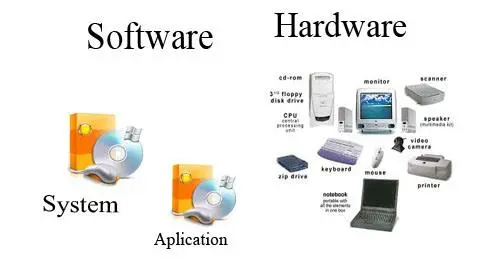
- Login systems
- Search engines
- Notification systems
- Analytics dashboards
- Payment processing systems
- Reporting tools
- User management modules
Each of these components works together to deliver a complete application experience.
Challenges in Classifying Software Components
While classification is useful, developers often face challenges such as:
- Overlapping responsibilities between components
- Lack of proper documentation
- Poor system design
- Complex dependencies
- Difficulty in maintaining modular structure
These challenges can be reduced with proper planning and architectural design.
Best Practices for Component Classification
To achieve effective classification, developers should follow industry best practices.
1. Use Modular Design
Break applications into independent and reusable modules.
2. Follow Standard Architecture Patterns
Use proven models like:
- Microservices
- MVC (Model-View-Controller)
- Layered architecture
3. Maintain Clear Documentation
Document every component’s purpose and functionality.
4. Ensure Loose Coupling
Reduce dependency between components to improve flexibility.
5. Apply Separation of Concerns
Each component should handle a single responsibility.
Benefits of Proper Software Component Classification
Proper classification provides several advantages:
- Improved scalability
- Better system performance
- Easier debugging
- Faster development cycles
- Enhanced maintainability
- Increased code reusability
It also makes collaboration between development teams more efficient.
Future of Software Component Design
Modern software systems are evolving rapidly with new technologies.
Key Future Trends:
- Cloud-native applications
- Microservices architecture
- Serverless computing
- AI-driven systems
- Container-based deployment
These advancements make component classification even more important for scalable system design.
FAQ’s
1.What is software component classification?
Software component classification is the process of organizing application parts based on function, architecture, deployment, or technology to improve structure and efficiency.
2.Why is classification important in software development?
It helps improve system organization, reduces complexity, enhances scalability, and makes software easier to maintain and debug.
3.What are the main types of software components?
Main types include presentation components, business logic components, data access components, frontend, backend, and middleware systems.
4.What is microservices-based classification?
Microservices-based classification divides software into independent services that can be developed, deployed, and scaled separately.
5.How does classification improve performance?
It reduces system complexity, improves modularity, and allows better resource management, leading to faster and more efficient applications.
Conclusion
Understanding how to classify software applications components is essential for building scalable, maintainable, and high-performance software systems. Proper classification improves system organization, simplifies development, enhances security, and ensures long-term software stability. By following structured architectural principles and best practices, developers can create modern applications that are efficient, flexible, and ready for future technological advancements.