Alternative Software to Lightroom (Complete Guide 2026)
Adobe Lightroom is a powerful and widely used photo editing and management software trusted by photographers around the world for RAW image processing, color correction, and professional workflow management. It allows users to organize large photo libraries, enhance image quality, and apply advanced edits with precision. Because of these features, it has become a standard tool in the photography and creative industry.However, despite its popularity, many users look for alternative software to Lightroom due to several practical reasons. One of the main concerns is its subscription-based pricing, which can be expensive over time, especially for beginners, students, or small businesses. In addition, Lightroom requires a relatively strong system for smooth performance, which may not be suitable for users with low or mid-range devices.
Some users also prefer more flexible tools that offer AI-based editing, faster workflows, or simpler interfaces without complex settings.This guide is designed to provide a complete overview of the best Lightroom alternatives available in 2026. It helps you understand their key features, benefits, and use cases so you can choose the right photo editing software based on your needs, skill level, and budget.This guide is designed to provide a complete overview of the best Lightroom alternatives available in 2026. It helps you understand their key features, benefits, and use cases so you can choose the right photo editing software based on your needs, skill level, and budget.
- Why People Look for Lightroom Alternatives
- Best Alternative Software to Lightroom
- Benefits of Using Lightroom Alternatives
- How to Choose the Best Lightroom Alternative
- Best Practices for Photo Editing Software
- Challenges of Lightroom Alternatives
- Future of Photo Editing Software
- FAQs
- Conclusion
- Related Post
Discover the best Lightroom alternatives in 2026 with powerful features, affordable pricing, and tools for beginners and professional photo editing needs.
Why People Look for Lightroom Alternatives
Many photographers and editors search for Lightroom alternatives because the software does not suit everyone’s needs. One of the main reasons is its subscription-based pricing, which can become expensive over time, especially for beginners or small businesses. Some users also face performance issues, as Lightroom requires a powerful system to run smoothly, which may not be available to everyone.

Another reason is the demand for more flexibility and modern features like AI-based editing, faster workflows, or simpler interfaces. Some users also prefer free or one-time payment tools instead of monthly plans. Overall, people look for alternatives to find software that better fits their budget, system, and editing style.
Best Alternative Software to Lightroom

Capture One Pro
Capture One Pro is a professional photo editing software that offers advanced RAW processing and highly accurate color grading, making it ideal for studio and professional photography work.
Luminar Neo
Luminar Neo is an AI-powered photo editing tool designed for fast and simple editing, providing one-click enhancements and creative effects that are perfect for beginners.
DxO PhotoLab
DxO PhotoLab is a powerful editing software focused on delivering high-quality images through advanced noise reduction and precise lens correction technology.
ON1 Photo RAW
ON1 Photo RAW is an all-in-one photo editing platform that combines organizing, editing, and effects tools, offering a flexible workflow for all users.
Darktable (Free Software)
Darktable is a free and open-source photo editing software that provides non-destructive RAW editing and professional tools without any subscription cost.
RawTherapee (Free Software)
RawTherapee is a free advanced RAW processing tool that offers deep color control, high-quality output, and detailed editing features for technical users.
Benefits of Using Lightroom Alternatives
- Lightroom alternatives are often more affordable, with many free or one-time payment options that reduce long-term editing costs for users.
- These tools usually run better on low or mid-range systems, making photo editing accessible without needing expensive hardware.
- Many alternatives include modern AI-powered features that allow faster editing, automatic enhancements, and creative effects with less manual effort.
- They offer simple and beginner-friendly interfaces, making it easier for new users to learn photo editing quickly.
- Users get more flexibility with different software choices, allowing them to pick tools based on personal workflow and editing style.
- Some alternatives provide non-subscription models, giving users full control without monthly payment pressure.
How to Choose the Best Lightroom Alternative

Choosing the right software depends on your skill level and needs:
- Beginners should choose Luminar Neo or ON1 Photo RAW
- Professionals should use Capture One Pro or DxO PhotoLab
- Budget users should try Darktable or RawTherapee
- AI lovers should prefer Luminar Neo
Best Practices for Photo Editing Software
- Always work on RAW files for better quality and flexibility.
- Keep original images saved before making any edits.
- Use non-destructive editing to protect your original work.
- Learn keyboard shortcuts to speed up your workflow.
- Organize your photos in folders for better management.
- Regularly update software for new features and performance improvements.
Challenges of Lightroom Alternatives
- Some software has a learning curve for new users.
- Free tools may lack advanced professional features.
- High-end alternatives can still be expensive.
- System requirements may be heavy for older computers.
- Different interfaces require time to adapt and learn.
- Limited customer support in some free or open-source tools.
Future of Photo Editing Software
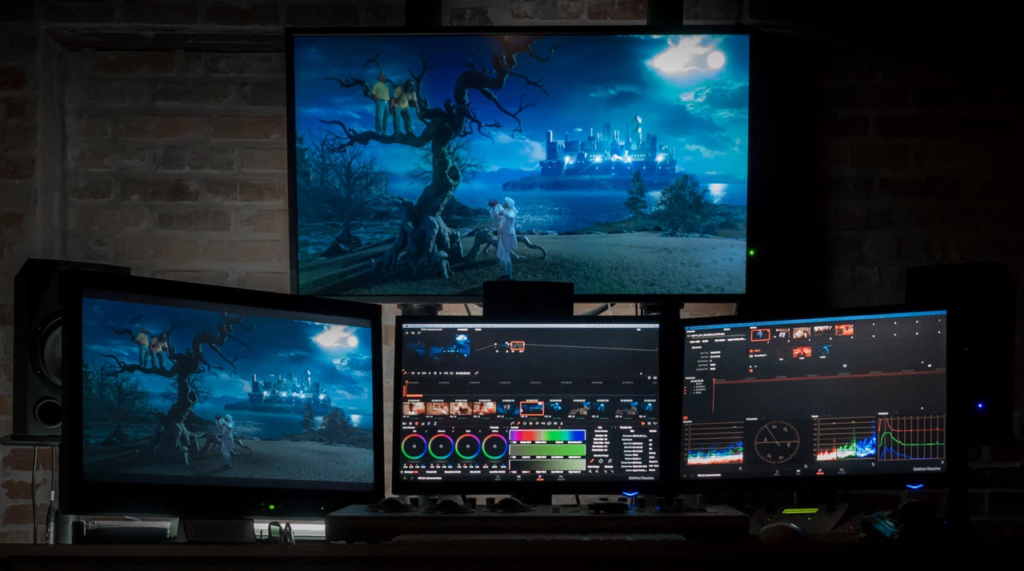
The future of photo editing software is becoming more advanced with the integration of artificial intelligence, automation, and cloud-based technologies. Editing tools are now able to enhance images automatically, reduce manual effort, and deliver faster results with higher accuracy. This makes photo editing more accessible for beginners while still providing powerful features for professionals.
 Source
In the coming years, technologies like AI-driven editing, real-time collaboration, and cloud storage will become standard. Virtual and augmented reality may also improve how users preview and edit images. Overall, photo editing software will continue to evolve toward smarter, faster, and more efficient workflows.
FAQs
1-What is the best alternative to Lightroom for professionals?
Capture One Pro is considered the best alternative due to its advanced RAW processing, precise color grading, and professional studio-level editing tools.
2-Is there a free alternative to Lightroom available?
Yes, free alternatives like Darktable and RawTherapee offer powerful RAW editing tools and non-destructive workflows without any subscription cost.
3-Which Lightroom alternative is best for beginners?
Luminar Neo is best for beginners because it offers AI-powered tools, one-click edits, and a simple interface without complex editing steps.
4-Do Lightroom alternatives support RAW files?
Yes, most Lightroom alternatives like Capture One, DxO PhotoLab, and Darktable fully support RAW file editing with advanced processing features.
5-Can Lightroom alternatives replace Adobe Lightroom completely?
Yes, many Lightroom alternatives can fully replace Lightroom depending on user needs, budget, and required features for photography workflows.
Conclusion
Lightroom alternatives provide powerful options for photographers of all levels. Whether you need professional tools like Capture One Pro, AI-powered editing with Luminar Neo, or free solutions like Darktable, there is a perfect choice for everyone. These tools offer flexibility, creativity, and cost savings. Choosing the right software depends on your skills, budget, and editing requirements.