Best Design Software for Woodworking (Complete Guide 2026)
Woodworking has evolved far beyond traditional hand tools and manual sketches. Today, modern woodworkers rely on powerful design software to create accurate, efficient, and visually appealing projects.
Whether you are a beginner building small furniture or a professional managing large-scale production, choosing the right woodworking design software can significantly improve your workflow and results.In this guide, we will explore the best design software for woodworking, their features, benefits, and how to choose the right one for your needs.
- Why Woodworking Design Software is Important
- Key Features of Woodworking Design Software
- Best Design Software for Woodworking
- How to Choose the Best Woodworking Software
- Benefits of Using Woodworking Design Software
- Challenges of Woodworking Software
- Best Practices for Using Woodworking Software
- Future of Woodworking Design Software
- FAQS
- Conclusion
- Related Post
Woodworking software can be costly, complex to learn, and needs powerful systems, but improves accuracy, planning, and overall design efficiency.
Why Woodworking Design Software is Important
Woodworking design software is important because it helps create accurate digital designs before actual construction. It reduces measurement errors, saves materials, and improves planning efficiency. Users can visualize the final product in 2D or 3D, making the design process clearer and more precise.
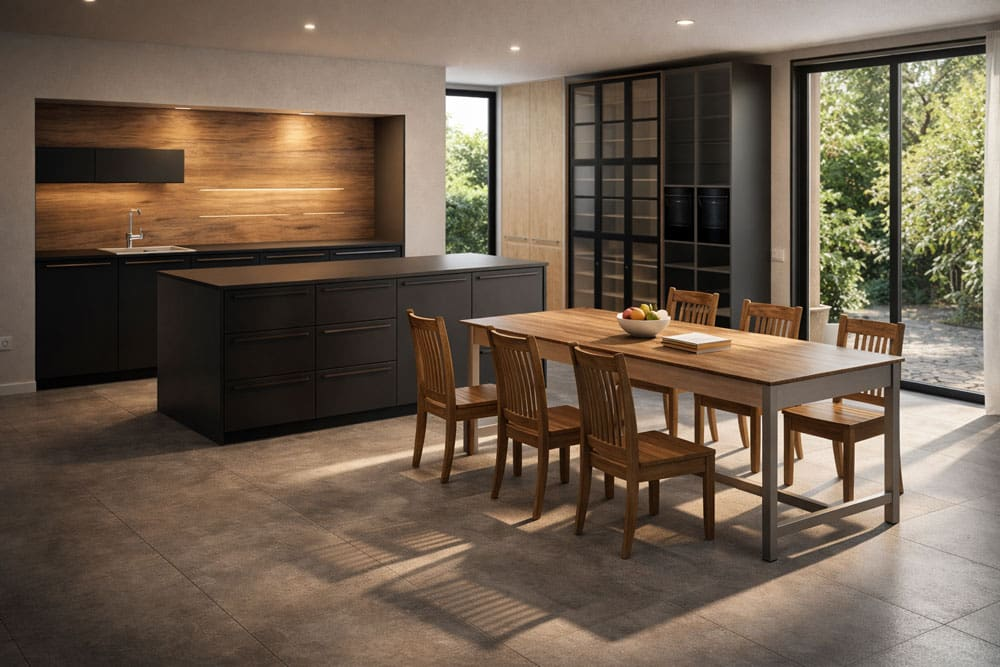
It also increases productivity by allowing quick changes, better organization, and improved workflow. Overall, this software makes woodworking faster, easier, and more cost-effective for both beginners and professionals.
Key Features of Woodworking Design Software

3D Modeling Capabilities
Modern woodworking software provides advanced 3D modeling tools that allow users to visualize projects realistically. You can rotate, zoom, and inspect designs from every angle before building them.
Cut List Generation
Many tools automatically generate cut lists based on your design. This feature helps reduce material waste and ensures precise measurements.
Material and Texture Simulation
You can apply different wood types, finishes, and textures to see how your final product will look. This helps in choosing the right materials.
Measurement Accuracy
Precision is critical in woodworking. Design software ensures exact dimensions and reduces human errors.
CNC Integration
Some advanced tools support CNC machines, allowing automated cutting and manufacturing directly from your design.
User-Friendly Interface
Good software offers an intuitive interface so beginners can easily learn and professionals can work efficiently.
Best Design Software for Woodworking
SketchUp
SketchUp is a beginner-friendly woodworking design tool with simple 3D modeling, drag-and-drop features, and a large model library, making furniture design easy.
SketchList 3D
SketchList 3D is made for woodworkers, offering built-in tools, automatic cut lists, and material planning to simplify design and reduce waste.
Fusion 360
Fusion 360 is an advanced CAD/CAM software with parametric modeling and CNC support, ideal for complex woodworking projects and professional use.
Microvellum
Microvellum is a professional woodworking software for large-scale production, offering automation, CNC integration, and efficient manufacturing management tool.
SWOOD
SWOOD combines CAD and CAM features with advanced joinery tools, making it suitable for industrial woodworking and complex furniture design.
Alibre Design
Alibre Design provides precise 3D modeling and detailed design tools, making it a cost-effective solution for accurate custom woodworking projects.
How to Choose the Best Woodworking Software
Choosing the right software depends on your experience level, project requirements, and budget.
Consider Your Skill Level
Beginners should choose easy-to-use tools like SketchUp, while professionals may prefer advanced software like Fusion 360 or SWOOD.
Project Complexity
Simple furniture designs require basic tools, but complex projects need advanced modeling and simulation features.
Budget
Some software tools are free, while others require subscriptions. Choose one that fits your budget without compromising essential features.
Compatibility
Ensure the software works with your system and supports tools like CNC machines if needed.
Benefits of Using Woodworking Design Software
- Improved Accuracy – Design software eliminates measurement errors and ensures precise cuts.
- Time Efficiency – You can plan and modify designs quickly without starting from scratch.
- Cost Savings – Optimized material usage reduces waste and saves money.
- Better Visualization – 3D modeling helps you see the final product before building.
- Enhanced Productivity – Automation and advanced tools make projects faster and more efficient.
Challenges of Woodworking Software

- The high cost of advanced woodworking design software can be difficult for beginners or small businesses.
- A learning curve is required, especially for complex CAD/CAM tools.
- Requires powerful computer systems for smooth performance and rendering.
- Some software may have limited features in free versions.
- Compatibility issues can occur with certain CNC machines or file formats.
- Regular updates and maintenance may be needed for optimal performance.
Best Practices for Using Woodworking Software
- Start with simple projects to understand the software properly.
- Use templates to save time and improve design efficiency.
- Learn keyboard shortcuts for faster workflow.
- Keep designs organized in folders for easy access.
- Regularly update software for new features and improvements.
Future of Woodworking Design Software
The future of woodworking design software is becoming more advanced with AI, automation, and cloud technology. These tools are improving design accuracy, speed, and ease of use. Users can now create better designs with fewer errors and more efficiency.
In the coming years, VR and AR will make 3D visualization more realistic, while CNC integration will further improve automated manufacturing. Overall, woodworking software will become smarter, faster, and more helpful for both beginners and professionals.
FAQS
1-What is the best software for woodworking design?
The best woodworking design software depends on your needs. SketchUp is great for beginners, while Fusion 360 and SketchList 3D suit advanced users.
2-Is there free woodworking design software available?
Yes, free woodworking design software options like SketchUp Free and Fusion 360 for personal use are available, offering basic features for beginners.
3-Which software is best for beginners in woodworking?
SketchUp is considered the best woodworking software for beginners due to its simple interface, easy learning curve, and availability of tutorials and resources.
4-Can woodworking software generate cut lists automatically?
Yes, many woodworking design tools like SketchList 3D and Fusion 360 can generate cut lists automatically, helping users save time and reduce material waste.
5-Do I need CAD knowledge for woodworking software?
Basic CAD knowledge is helpful but not necessary. Many woodworking software tools are beginner-friendly and designed with simple interfaces for easy learning.
Conclusion
Woodworking design software plays a crucial role in modern woodworking by improving accuracy, saving time, and reducing waste. Whether you are a beginner or professional, selecting the right software helps turn ideas into precise designs. With evolving technology, these tools continue to become more powerful, making woodworking easier, faster, and more efficient for everyone.